Cellbuff MCP

CELLBUFF MCP / MODEL CONTEXT PROTOCOL

Your mobile services.
Just ask.

Check a phone. Connect a trip. Top up a number.

Bring IMEI checks, Device Reports, travel eSIMs and prepaid mobile top-ups into your AI conversation. Compare the options, review the price and use your Cellbuff balance when you choose to buy.

YOUR QUESTION. A CONNECTED WORKFLOW.
One connection
Your Cellbuff account
Know the total
Prices before purchase
Stay in control
Permissions & spending limits

A SHORTER PATH TO AN ANSWER

Less switching.
More understanding.

Buying a used phone, getting connected abroad or helping someone top up their mobile? Keep the choice, price review and result in the conversation where you already work.

Instead of choosing endpoints or moving results between tabs, describe what you need. The Cellbuff MCP server connects compatible AI clients to IMEI checks, Device Reports, eSIM plans and mobile recharge through the Model Context Protocol. Search, review and retrieve, using the same Cellbuff prices and balance as your dashboard.

USE CASES / AVAILABLE IN MCP TODAY

A real task.
A more useful conversation.

Choose the situation that fits. See the benefit, then copy a prompt into your connected AI client. Cellbuff supplies the records; your client helps you work with them.

01For phone buyersCheck a used phone before you buy.

What MCP helps you do

Turn a seller’s IMEI into a plan for checking the phone. Your AI client can find relevant checkers, explain their scope and show the total before you choose to run them.

  • Find available identity, blacklist and carrier-lock checks.
  • Keep reported findings and unanswered questions in the same conversation.
TRY THIS IN YOUR CONNECTED AI CLIENT

I am considering a used phone. Find IMEI checks for its model, blacklist and carrier-lock records. Explain what each check covers and show the price. Prepare my selected checks and wait for my approval before purchasing.

An example prompt. No check runs from this page.
02For resellers & repair shopsWork through a list of devices.

What MCP helps you do

Use a repeatable workflow when checking more than one phone. Prepare a supported batch of identifiers, review its total and bring the results back to the task you are working on.

  • Prepare up to 50 identifiers per check request, with duplicates removed.
  • Retrieve the saved operation instead of starting a replacement purchase.
TRY THIS IN YOUR CONNECTED AI CLIENT

Find the right checker for this list of IMEIs and prepare a batch within the supported limit. Remove duplicates and show the exact total before purchase. After my approval, run the selected offer and summarise each device’s result.

An example prompt. No check runs from this page.
03For a more informed decisionUnderstand the bigger device picture.

What MCP helps you do

Ask for a Device Report when one focused check is not enough. Review the available scope, then use your AI client to explain the report and highlight anything the records could not establish.

  • Bring compatible device records together in a saved report.
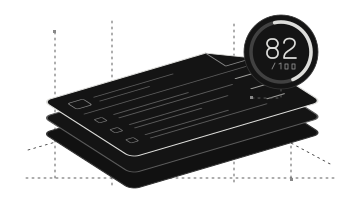
  • Read CellScore in eligible reports, with missing information kept visible.
TRY THIS IN YOUR CONNECTED AI CLIENT

Identify this phone and show the available Device Report, its scope and price. Wait for my approval before requesting it. Then explain the findings, any available CellScore and what remains unknown.

An example prompt. No check runs from this page.
04For travellersGet connected before you travel.

What MCP helps you do

Describe your destination and trip length, then compare available eSIM plans in the same conversation. Choose data-only or calls, SMS and data, with the exact Cellbuff total before purchase.

  • Review coverage, allowance, validity and any number or IP location notice.
  • After purchase, retrieve private installation details with separate permission.
TRY THIS IN YOUR CONNECTED AI CLIENT

Find data-only eSIM plans for 10 days in Japan. Compare allowance, validity and total price. Prepare my chosen plan and wait for approval before buying. After delivery, help me install it on my compatible phone.

An example prompt. No check runs from this page.
05For prepaid mobile usersSend a top-up with the details clear.

What MCP helps you do

Confirm the number and actual operator, choose credit or an available bundle, and see what the recipient receives alongside what you pay from your Cellbuff balance.

  • Keep operator-currency credit separate from the USD purchase price.
  • Read the saved order status instead of sending the recharge again.
TRY THIS IN YOUR CONNECTED AI CLIENT

Help me recharge this prepaid number in full international format. Confirm the recipient and operator. Show available credit or bundles and the Cellbuff USD total. Wait for my approval, then send the chosen recharge and report its final status.

An example prompt. No check runs from this page.
  1. 01 / DESCRIBE THE TASK

    Start with what matters.

    Describe the phone, destination or prepaid number. Your client can find relevant checkers, eSIM plans or recharge options.

  2. 02 / KEEP THE DECISION

    Review before you spend.

    See the scope and exact price first. Your permissions, spending limits and available balance apply.

  3. 03 / KEEP THE CONTEXT

    Use the answer where you work.

    Bring findings back to your conversation and retrieve the saved operation when you need it again.

MOBILE SERVICES / AVAILABLE IN MCP

eSIMs. Mobile top-ups.
The same connected idea.

Compare travel eSIMs or send a prepaid top-up from the same connected account. Review the exact Cellbuff price before approving a purchase; retrieve the result without buying again.

Available in MCP

TRAVEL ESIM PLANS

Match the connection to the trip.

Describe the country, trip length and data needs. Compare eligible data-only or call/SMS and data plans, with a clear total before you choose to buy.

TRY THIS PROMPT

“I need a data-only eSIM for 10 days in Japan. Compare the available plans and show the total before I choose.”

  • Compare destination, allowance and validity together.
  • Keep the plan choice and price review in one conversation.
Explore eSIM plans now

Available through MCP, the website, dashboard and REST API.

Available in MCP

PREPAID MOBILE RECHARGE

Top up the right number, clearly.

Provide the recipient and the mobile credit or bundle you need. Confirm the country and operator, review the Cellbuff price and check the result of the top-up.

TRY THIS PROMPT

“Help me top up this prepaid number. Confirm the country, operator and recipient, then show the credit options and total.”

  • Review recipient details alongside the top-up amount.
  • Read the original order status when you need an update.
Explore mobile recharge now

Available through MCP, the website, dashboard and REST API.

WHEN YOU NEED THE BIGGER PICTURE

A Device Report.
In your workflow.

Bring compatible device records together, then ask your AI client to explain the findings. Eligible reports include CellScore, with the same available observations and limitations you see in Cellbuff.

Explore Device Reports

Reported records do not test battery health or physical condition. Missing data remains unknown.

YOUR CONNECTION STARTS HERE

One account.
Your AI tools.

No Cellbuff password or secret API key in your prompts. Connect through your browser, choose permissions and keep control from your dashboard.

YOUR SERVER URL / STREAMABLE HTTP
https://cellbuff.com/mcp

Paste this URL in your MCP client, then follow the browser sign-in to connect your Cellbuff account.

Already connected? Reconnect through your AI client to authorize the new eSIM and mobile recharge permissions. Existing connections keep their original access. Installation details require separate permission.

  1. 01

    Add the Cellbuff server.

    Choose a remote MCP server in your client and paste the URL above. It must support Streamable HTTP and OAuth.

  2. 02

    Sign in. Choose your access.

    Review the application and return address in Cellbuff. Choose read permissions or authorize paid services from your available Cellbuff balance. Add spending limits only if you want them. Your confirmed API agreement applies to paid operations.

  3. 03

    Start with a question.

    Find a checker, compare eSIM plans or confirm a recharge recipient. Review a priced offer before requesting paid work.

Set up your client.

claude mcp add --transport http cellbuff https://cellbuff.com/mcp
claude mcp login cellbuff

For other clients, use their remote-server connection flow. Client features, plans and permitted tools vary. Read about client support.

Manage your connections

MCP TOOL REFERENCE

Twenty tools.
One connected account.

From a balance check to a saved report. Each tool has a clear purpose; only the four purchase tools initiate paid work.

View all twenty tools and their balance impact
ToolWhat it doesBalance impact
get_account_summarySee your available balance, permissions and spending limits.No charge
search_device_checksFind an IMEI or serial-number checker and its Cellbuff price.No charge
prepare_device_checksValidate the identifiers and prepare a priced offer before purchase.No charge
purchase_device_checksRun the selected checks using the reviewed offer and your balance.Paid action
identify_deviceIdentify the device and find the available report route.No charge
quote_device_reportReview the price and available scope of a Device Report.No charge
purchase_device_reportRequest the report using its reviewed offer.Paid action
get_operationWait for or read an existing check, report, eSIM or recharge order.No charge
list_device_reportsFind your existing reports and return to them in the dashboard.No charge
search_esim_plansCompare destination, plan type, validity and Cellbuff prices.No charge
quote_esimReview your chosen eSIM items, exact total and any required notices.No charge
purchase_esimBuy the reviewed eSIM offer from your Cellbuff balance.Paid action
get_esim_profileRetrieve private installation details with separate delivery permission.No charge
list_esimsFind existing eSIM orders without buying again.No charge
list_recharge_countriesFind supported prepaid top-up countries and calling codes.No charge
search_recharge_operatorsFind airtime, data and bundle options in the recipient country.No charge
detect_recharge_operatorSuggest a country and operator for a full international number.No charge
quote_rechargeReview the recipient, credit delivered and exact USD purchase price.No charge
purchase_rechargeSend the approved top-up using your Cellbuff balance.Paid action
list_rechargesFind existing recharge orders and their saved status.No charge


Prefer endpoints? The same services are available through the Cellbuff REST API. All paid operations use your account balance and Cellbuff prices.

CONFIDENCE COMES FROM CONTROL

Your balance.
Your boundaries.

Connecting an AI tool gives it the permissions you choose. Paid requests use your available Cellbuff balance and the same server-side purchase checks as the rest of your account.

Review access & limits
Clear prices, before you buy.
Offers show the exact total in USD. Searching, preparing an offer and reading existing results do not debit your balance.
Your balance. Optional limits.
Use your available Cellbuff balance without setting extra caps, or choose limits per purchase, per connection and across all MCP connections. You can change these settings in your dashboard.
Recover the original operation.
Reusing the same accepted offer recovers its purchase. A timeout is not a cancellation: read the saved operation instead of buying a replacement.
Access you can revoke.
Disconnect a client from your dashboard at any time. New requests stop; already accepted purchases continue.

A FEW THINGS TO KNOW

Before you connect.

How it works, what it costs and where you stay in control.

What is Cellbuff MCP?

Cellbuff MCP is a remote Model Context Protocol server that connects compatible AI clients to your Cellbuff account. It provides tools for finding device checks, reviewing prices, requesting IMEI checks and Device Reports, and reading your existing results. It also connects to eSIM plan search, eSIM purchases and installation, and prepaid mobile recharge.

Can I use it with Claude, ChatGPT or Codex?

Use an MCP client that supports remote Streamable HTTP and browser-based OAuth. Setup, custom-server access and permitted tools depend on the client, plan and administrator settings. The guide includes Claude Code and Codex CLI configuration. Cellbuff is an independent service; client directory listing and approval are separate.

Does connecting cost anything?

Connecting, searching checkers, preparing offers and reading existing results do not debit your Cellbuff balance. Purchase tools charge the reviewed Cellbuff price. Your AI client may have its own subscription or usage charges.

How does MCP use my Cellbuff balance?

Paid orders use the available balance in your Cellbuff account. You can authorize available-balance access without setting extra MCP caps, or choose optional per-purchase and daily spending limits. Connecting does not charge or reserve funds. Paid permissions, your confirmed API agreement and sufficient available funds are still required.

What information can an IMEI check return?

Available information depends on the selected checker and device. It may cover brand and model, blacklist, carrier, activation or warranty records. Review the checker description before buying. Unknown or unavailable information is not a clear result.

What happens if the connection drops?

Keep the original offer and operation ID. Read the existing operation or recover it using the same accepted offer. A timeout does not cancel accepted work. Creating a replacement offer and purchasing it can create a separate charge.

Can I buy eSIMs or mobile recharges through MCP?

Yes. Search available eSIM plans, review an exact-price offer and buy from your Cellbuff balance. For mobile recharge, confirm the prepaid number and operator, choose the credit or bundle, review the USD total and approve the top-up. Enable the relevant permissions in a new OAuth connection; existing connections are not automatically expanded.

How could an eSIM MCP workflow help me?

Describe your destination, trip duration and data or call/SMS needs. Your AI client can compare available plans, show the exact total and buy your chosen offer after approval. Separate installation permission allows it to retrieve private activation details and supported iOS/Android links. A call/SMS number may be from a different country than the destination.

How could a mobile recharge MCP workflow help me?

Confirm the full international phone number and prepaid operator, then choose available airtime, data or bundles. The offer distinguishes the credit delivered in the operator currency from the USD amount charged to your Cellbuff balance. Approve the reviewed offer and retrieve the original order status without sending another top-up.

How do I disconnect an AI client?

Open MCP connections in your dashboard and revoke its access. New requests are blocked immediately. Revocation does not cancel accepted work or refund completed checks; you can still read your records in the dashboard.

TAKE THE NEXT STEP

Your workflow.
More informed.

Bring Cellbuff device intelligence, eSIMs and mobile recharge into your next conversation.

Connect Cellbuff Prefer a direct API integration?