
Device identity
Make sense of the device behind the IMEI, with available manufacturer, model and specification records.
DEVICE INTELLIGENCE
Check a used phone's identity, locks and history before you buy.Start with free model identification. Review the full report and price in your dashboard.
Photos are processed on your device.
See what's insideFROM IMEI TO INSIGHT
From a 15-digit IMEI to a report you can review and keep.
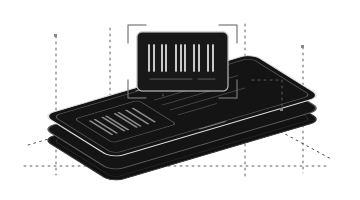 01 / CHECK
Enter the number or use Scan IMEI to identify the phone. Review the brand and model information returned by the free lookup.
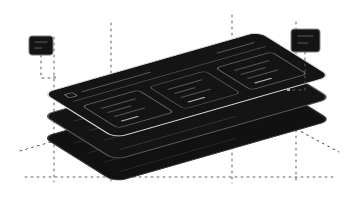 02 / EXPLORE
Sign in to see compatible checks, the available report and its price before you continue.
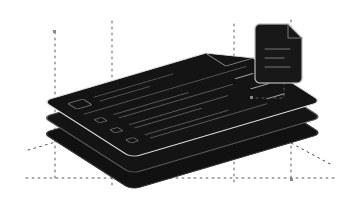 03 / KEEP
Review the completed checks in your dashboard. Save the branded PDF with the verification date for your own records or a conversation with the seller.
DEVICE REPORT / CELLSCORE FOR IPHONE
Know more about the iPhone before you buy.
A clean blacklist result does not tell the whole story. CellScore brings supported iPhone lock, restriction and identity findings together, so you can see what needs attention before buying a used phone.
Get your full device reportBased on available records. If key results are missing or inconclusive, the report explains the gap rather than assuming the phone is clear. Not a hardware test or a guarantee of safe purchase.

COMPREHENSIVE DEVICE REPORT
Higher score. Lower reported risk.
INSIDE THE REPORT
Review phone identity, reported restrictions and available history in one document. The compatible checks and returned fields depend on the device.
Make sense of the device behind the IMEI, with available manufacturer, model and specification records.
Explore reported carrier information, SIM restrictions and network-related records where supported.
Review available blacklist and manufacturer-specific restriction checks, presented with their reported status.
Bring available warranty, coverage and purchase-related information into one organized view.
Look for supported replacement, repair or other historical records returned for the device.
Review the original check results behind the summary, grouped by the information they cover.
KNOW YOUR DEVICE
A useful starting point when a phone changes hands.
IMEI stands for International Mobile Equipment Identity. A standard IMEI is a 15-digit number associated with a mobile device. It is different from a phone number: the IMEI identifies the device, while the phone number belongs to the service used with it.
An IMEI lookup can help connect a device with available manufacturer and other records. In a Cellbuff Device Report, compatible checks bring the information returned for that device into a structured view.
A product listing tells you what the seller says. A device report gives you another source of context. Depending on the phone and the checks available, that may include reported identity, network restrictions, security status, coverage or historical records.
A report is one part of a careful purchase. Check the phone physically, ask for proof of purchase and confirm any important carrier or account restrictions. Database records can be incomplete or change over time; they do not establish ownership or test the hardware.
Dial *#06# or look in your phone's device settings. On iPhone, go to Settings, General, then About. If the number is shown with a barcode, Scan IMEI can read a supported photo on your device and let you choose the number to use.
Identify your phone, then sign in to review the Full Device Report available for it and the price before purchasing. Need just one result? Explore individual IMEI checks for a focused lookup.
Compare individual IMEI checksLearn more: GSMA IMEI guideFind an iPhone IMEI
A LITTLE MORE CLARITY
CellScore summarizes the reported locks, restrictions and identity findings available for an iPhone. A higher score means lower reported risk across the checks included in that report. Important findings and missing information are shown alongside the score. It does not test the hardware or guarantee that a phone is safe to buy.
CellScore uses the assessment areas covered by your Device Report. Core records and the included checks must have conclusive results. When information is unsupported, missing or conflicting, the report shows the gaps and possible score range instead of inventing a clean result. A verified serious restriction remains prominent even when the assessment is incomplete.
An IMEI check uses a phone's International Mobile Equipment Identity to look up device information. A standard IMEI contains 15 digits. The information available in a Cellbuff report depends on the device, compatible checks and the records returned.
You can usually display it by dialing *#06# in the phone app, or find it in the device settings. On an iPhone, open Settings, General, then About. Scan IMEI can read a supported photo of the number or its barcode; you review and select the number before checking.
Depending on the device and selected report, available information can cover identity, network and carrier records, security restrictions, warranty, coverage and device history. Sign in to review the compatible report and its price before purchasing. Not every field is available for every phone.
The initial IMEI lookup identifies the phone with the brand and model information returned. It does not include the full status or history checks. Sign in to review the compatible Full Device Report and its price before purchasing.
No. A device report provides database-based information. It does not prove ownership, test hardware, assess battery condition or guarantee that a device will remain free of restrictions. Combine the report with proof of purchase, a physical inspection and checks with the seller or carrier.
Photos are processed on your device using the Cellbuff scanner. The image is not uploaded. You choose a detected 15-digit IMEI to fill the form; scanning does not submit a device check. The selected IMEI is submitted only when you explicitly check the device.
Yes. Your completed report is available in your Cellbuff dashboard, with a PDF you can save or send to your registered email address. The report includes the verification date and the information returned by its compatible checks.
YOUR DEVICE. A CLEARER PICTURE.